Histograms, Metering and RAW Editing

The histogram is the one honest readout of exposure a camera offers, and reading it well carries through to editing. This set explains histograms from first principles, shows how metering modes and exposure compensation rescue under- and over-exposed frames, then moves to the desk: setting black and white points, the basics of RAW processing, fixing dull colour, refining skin texture and controlling colour with intent.
Joe McNally: Control of Colour (Part 1 of 2)

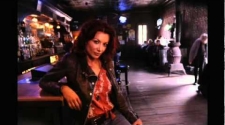
Joe McNally works at the Pioneer Saloon in Goodsprings, Nevada, assessing window light, backlit floors and reflective bar. At 1/8 second, f/4 and ISO 400, he gels his speedlight to incandescent so auto white balance warms the scene, then moves it off camera with a TTL cord and softbox.

Exposure Compensation and Spot Metering: Fixing Underexposed and Overexposed Pictures

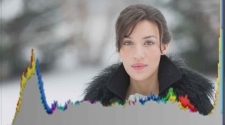
Tony Northrup photographs Chelsea in Connecticut snow to show why evaluative metering underexposes bright scenes, reading the histogram and adding two stops of exposure compensation. He explains metering's middle-grey target, weighs spot metering off a face against its drawbacks for moving birds, and repeats the test against dark trees.

Our Number One Photo Editing Tip: Black and White Points

Tony Northrup shares his most frequent correction from photo reviews: setting black and white points. In Lightroom he Alt-drags whites and blacks sliders until clipping appears, showing on club and basketball shots how a histogram touching both edges adds contrast, and noting filmmakers keep a bright point in dark scenes.

Creating Skin Texture in Photoshop

Stephan Bollinger builds a reusable skin texture in Photoshop: a 2000-pixel square of 50% grey as a smart object, adding noise at 10, one-pixel Gaussian blur and 45-degree emboss. He loads it via Texturizer onto a portrait of Mia, adjusts scale and depth, and masks it to the forehead.

Histograms

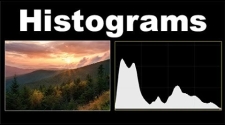
Tony Northrup reads histograms using Peru photographs in Photoshop and Lightroom: a central hill for mid-tones, a right-edge spike where the sun blows out, and a U shape for high contrast. He fixes washed-out pictures with a levels layer's black point or Lightroom's black and white sliders.

Histograms in Photography

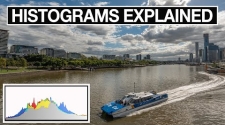
Steve Perry explains why a camera LCD misleads in dim or bright conditions and why histograms are more reliable. He shows setup via Nikon playback display options and Canon's info button, describes 256 luminosity levels from black to white, reads bright and dark scenes, and covers clipping and raw headroom.

Histograms for Beginners and How They Can Improve Your Photography

Paul from Photo Genius shows how to display histograms on Fujifilm, Canon and Nikon cameras, including a Nikon's hidden playback overview setting, then divides the graph into blacks, shadows, mid-tones, highlights and whites. A night shot of the Eiffel Tower shows why a left-heavy histogram can still be correct.

Are Camera Metering Modes Limiting Your Creativity? Why I Don't Use Them

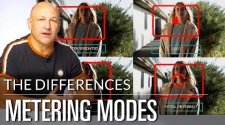
Karl Taylor explains metering's 18 per cent grey assumption, then compares Canon, Nikon, Sony and Hasselblad modes: evaluative or matrix, centre-weighted, spot and partial. He shoots one scene in program mode with each, matches them to landscapes, portraits or the moon, and argues manual shooting makes them irrelevant.

Raw Photo Editing Basics: Pro Tips I Wish I Had Learned Sooner

Mark Denney edits a Dolomites raw file in Lightroom with a top-to-bottom workflow. He customises the develop panel order and enables solo mode so one section opens at a time, then works through colour, setting white balance by eyedropper after colour adjustments, then adding texture, clarity and vignette effects.

Raw Photo Editing Basics: Fix Dull Colours the Right Way

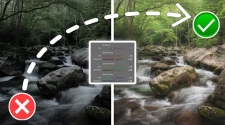
Mark Denney tackles the muted colours of a Nikon raw file from the Smokies, noting almost half of Lightroom's hundred-plus tools concern colour. After quick exposure and white balance fixes, he concentrates on the calibration panel, shifting the blue, green and red primary hues to revive near-neon spring greens.