Natural Light, Backlight and Silhouettes

No flash required. These fifteen tutorials teach how to find and read natural light, from window light to flat overcast days, and how to place a subject in it for portraits and fashion. The second half turns the sun around: backlighting for glowing portraits, a one-light backlit setup for the studio, and silhouettes shot at midday, in the studio and on the street.

DSLR Natural Light Photography Tutorial: Lighting for Beginners with Raw Files

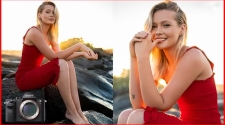
Bach Photography walks through a golden hour portrait shoot lit only by the sun, using a Sony A7R II and Sigma 35mm f/1.4 Art with no flash or reflectors. Model, camera and low backlight are positioned deliberately to avoid harsh shadows, then a Photoshop edit adjusts clarity, highlights and colour.

Studio Silhouette Portraits

Andrew Boey distinguishes a shadow from a silhouette, then builds one with a Canon 580EX II hidden behind the model in slave mode. Settings of f/16 to f/22, low ISO and 1/250s keep the subject black, the flash's wide panel widens the spread, and gels colour it, costing two stops.

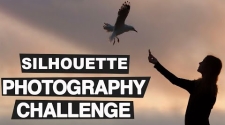
Silhouette Photography Challenge

Paul from Photo Genius sets his nineteenth photo challenge: silhouettes, with the rule of thirds as a composition focus. He analyses a sunset surfer shot, shows how backlighting against a bright sky renders a subject black, and demonstrates darkening the figure and tightening the crop in Lightroom, Photoshop and Snapseed.

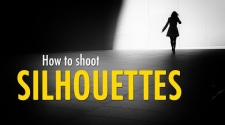
How to Shoot Silhouettes in Street Photography

Rupert of Fine Art Street Photography uses backlit Barcelona scenes to show how figures read in silhouette against architecture. Hats, flowing coats and expressive walks add character; he shoots at small apertures, underexposes a third of a stop, exposes for the brightest areas, and favours continuous shooting and low angles.

How to Photograph in Overcast, Boring Light

Roman Fox offers tips for grey overcast weather: overexpose by 0.3 to 0.6 stops, find contrast by shooting from dark places into brighter ones, let a blank sky blow nearly white, and seek a few colourful elements. An Edinburgh scene is edited in Luminar Neo with curves, HSL and temperature.