Tethering and Flash Accessories

Shooting tethered puts each frame on a large screen the moment it is taken, so focus, lighting and expression can be judged properly and clients can follow along. These tutorials cover cable and wireless tethering, free software options and a full-length workshop with Tether Tools, and finish with a quick maintenance fix for the Godox TT520 flash trigger that keeps a budget flash working.
Wirelessly Tether Your DSLR to Your Computer for Free

Victor G Photography tethers a Nikon D750 wirelessly using DSLR Dashboard, free desktop software for Windows, Mac, Linux and Raspberry Pi. After enabling the camera's Wi-Fi and connecting to its network, the software offers live view, tap-to-focus, capture, histogram and browsing; he shoots JPEG plus raw, displaying only JPEGs.

Tethering 101 with Jeff Rojas and Tether Tools

Jeff Rojas, lecturing with Tether Tools for Adorama, explains why he moved from fragile card readers to tethering and how it speeds collaboration with stylists and art directors. He demonstrates a cabled Capture One workflow, sending images to an iPad for remote rating, and a wireless Case Air alternative.

How to Tether Your Camera to a Computer

Miguel Quiles tethers a Sony a7R III to an HP ZBook x2 in Capture One for a bigger screen, focus checks, sharing with the team and files saved to disk. He picks a cable with matching ports, sets USB Connection to PC Remote and PC+Camera, then starts a session.

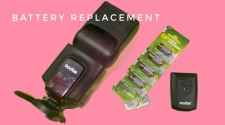
Godox TT520II Wireless Flash Trigger Battery Replacement

A short repair demonstration for the Godox TT520II wireless flash trigger, showing how to replace its battery. Working from the title and description, it evidently covers opening the trigger, removing the old cell and fitting a new one, with a pointer to where replacement batteries can be bought.

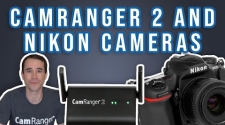
Setup for Fast Wireless Tethering with a Nikon D500

Dave from CamRanger shows how to speed wireless raw transfer from a Nikon D500 to a CamRanger 2: use a fast card, connect over the 5GHz network, turn on Quick RAW mode and auto view images in the app for two-and-a-half-second previews, and choose between PC and Camera connection modes.

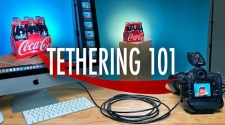
Tethering 101: See How Easy It Is

James Quantz Jr explains tethering basics: a camera with USB output, a Tether Tools cable costing 20 to 50 dollars, with a spare for commercial work, and a computer running Capture One or Lightroom. He mentions wireless Air Direct, then shoots a Coca-Cola six-pack with strobes, images appearing instantly.